Android · Windows
 HeardyYour music, on your device.
Your music wherever, whenever and however you want. A local player, no subscriptions and no catalog of its own: organize your collection into folders and playlists, follow synced lyrics, and discover what you listen to most. Your music lives on your device and plays offline; an account, sync, Explore and importing from links are optional extras.
Free, no ads in the app, no analytics of our own. GPL-3.0 license.
What Heardy is
A local music player that respects your collection
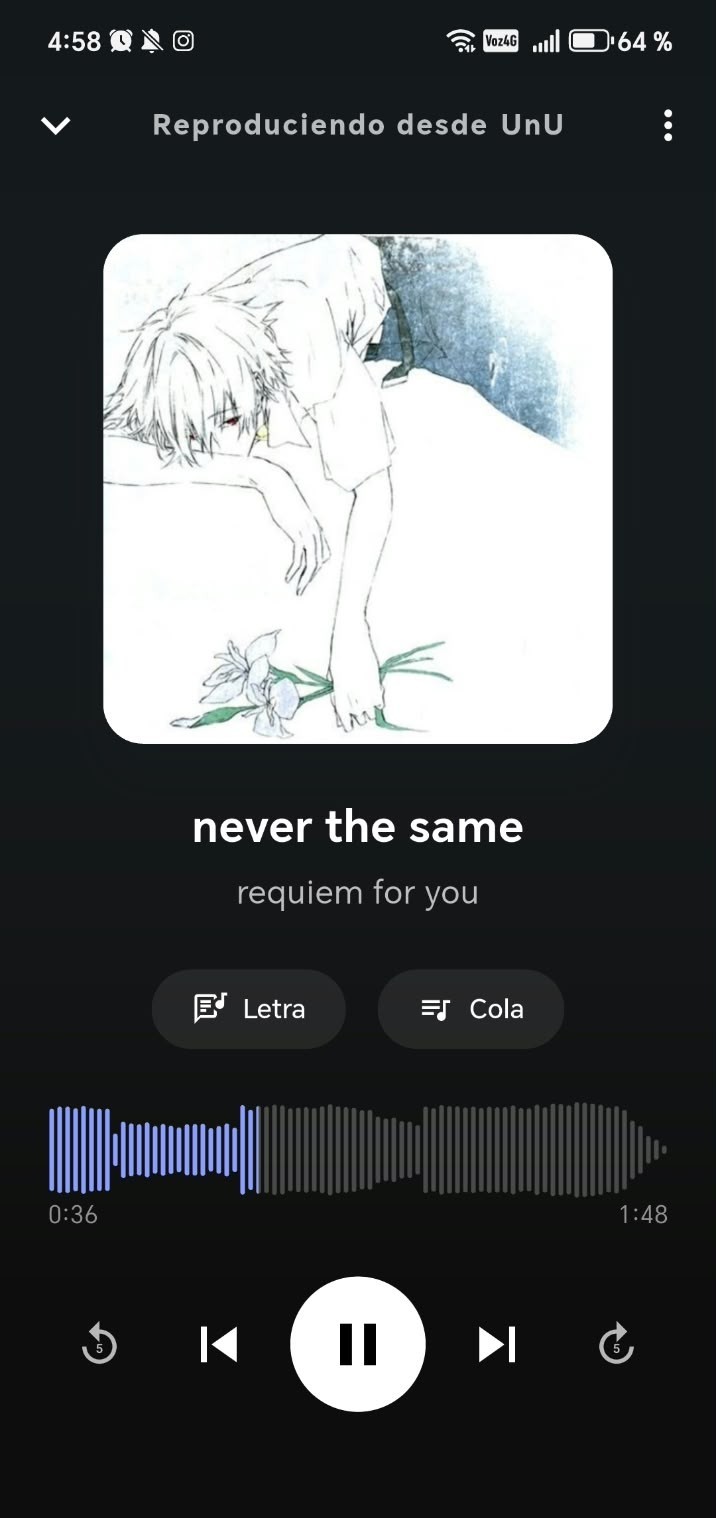
Heardy has no catalog of its own: it's the most comfortable way to listen to the music you already have. With an account you can also stream a song, on Android and Windows, without downloading it.
Your music, in your folder
You pick a folder on your device and that's your library. The files stay yours, right where they've always been.
Works offline
Playback, playlists, library search and statistics work without internet. An account is optional for listening to your music; importing from links and searching happen on your device, with no account and no quota. An account is only needed for Explore, friends and server sync.
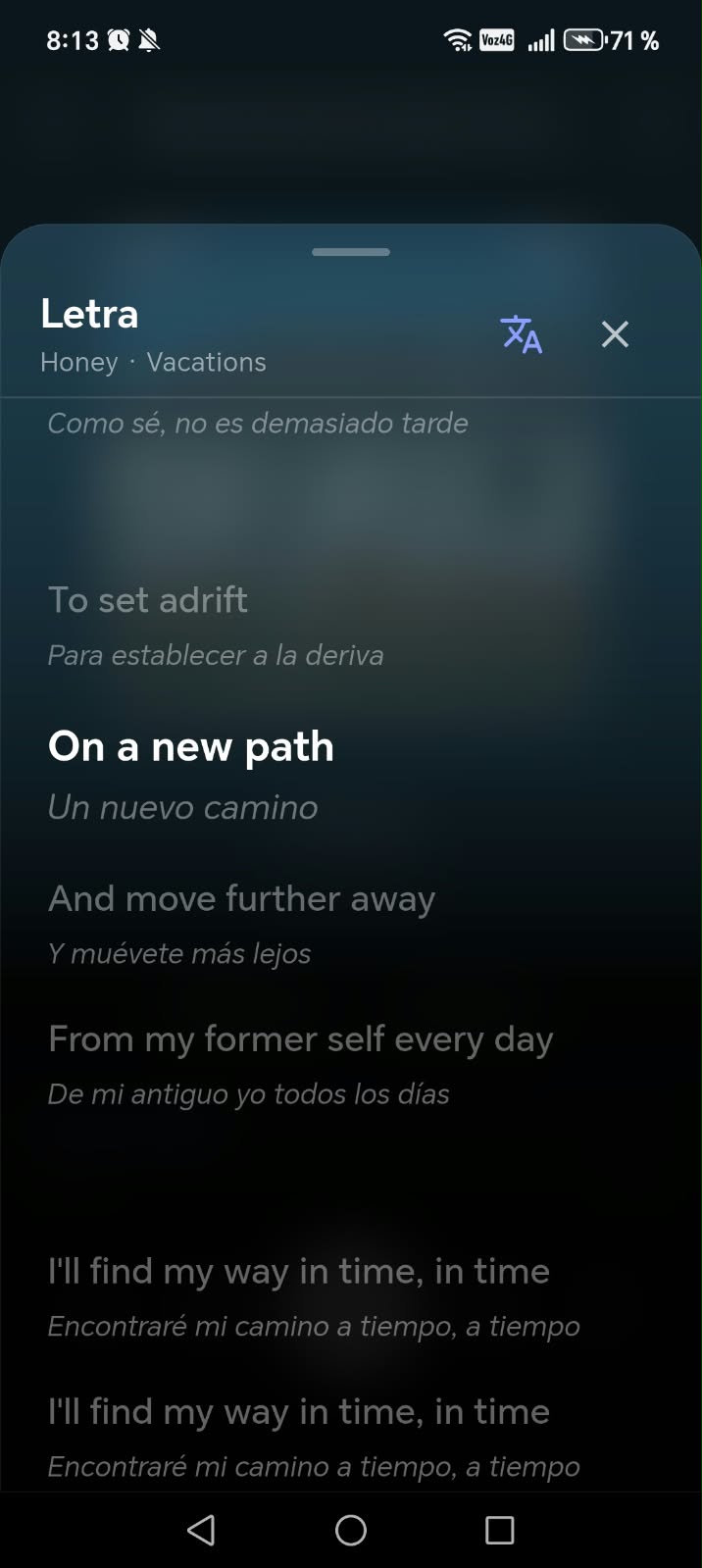
Synced and translated lyrics
Line-by-line lyrics in time with the song, with optional translation so you understand what you're hearing.
The audio never leaves your device
The account is optional and only syncs an index (titles, playlists, history). No server stores your songs, and you can also sync between your devices over Wi-Fi, with no server.
- Playlists and playback queue
- Lyrics translation
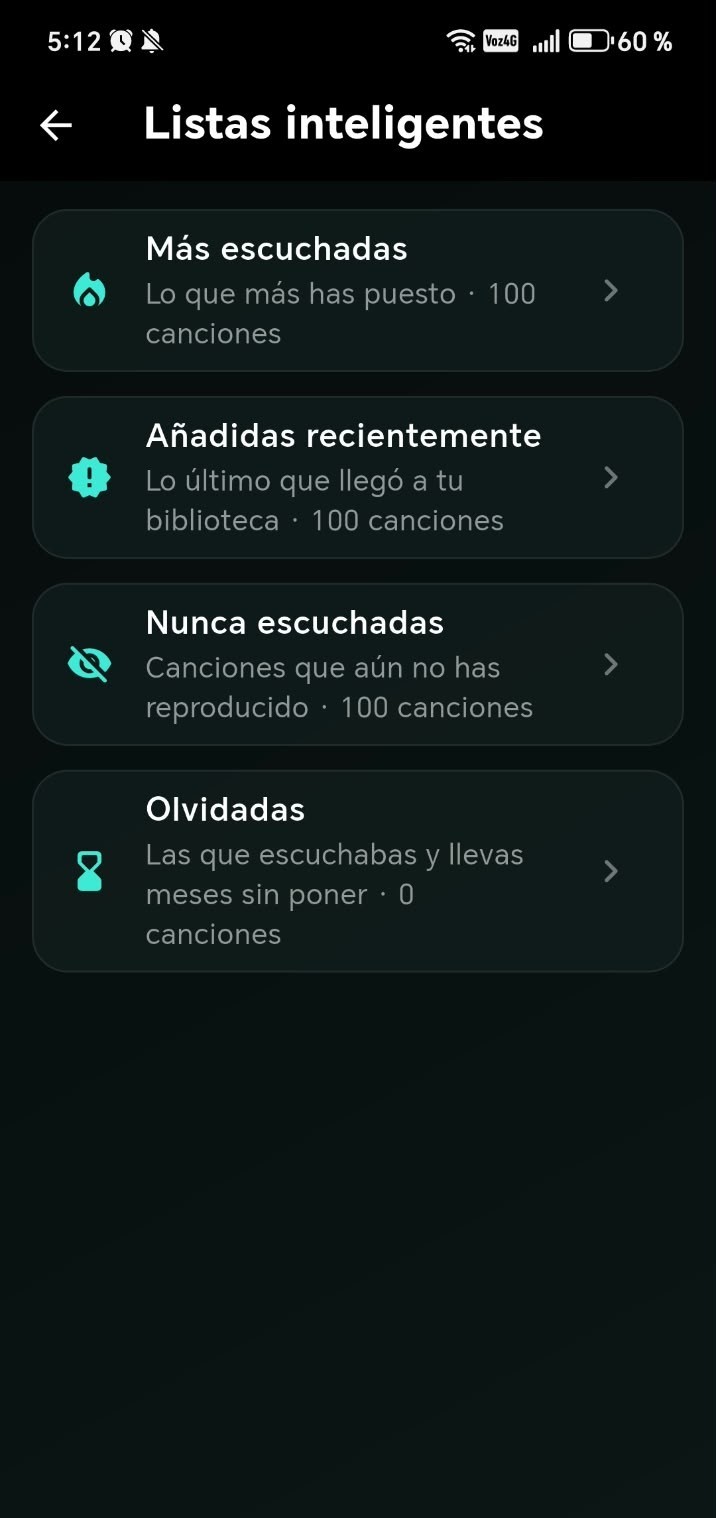
- Listening statistics
- Import inbox
- Online playlists and downloaded filters
- Sync over Wi-Fi, folder or account
- Friends and "listening now"
How it works
From a folder to a music library
Every feature, on screen. Screenshots and videos in this section will keep being filled in.
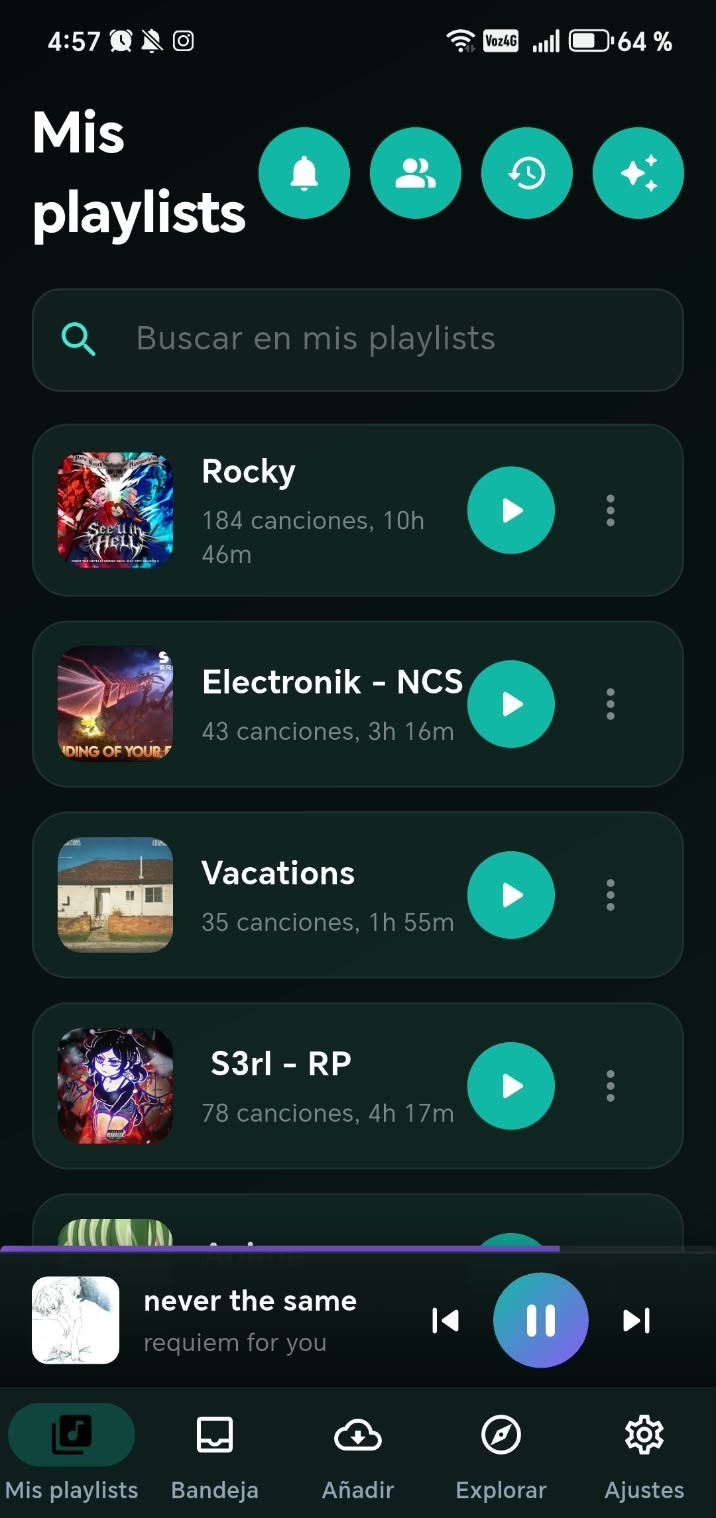
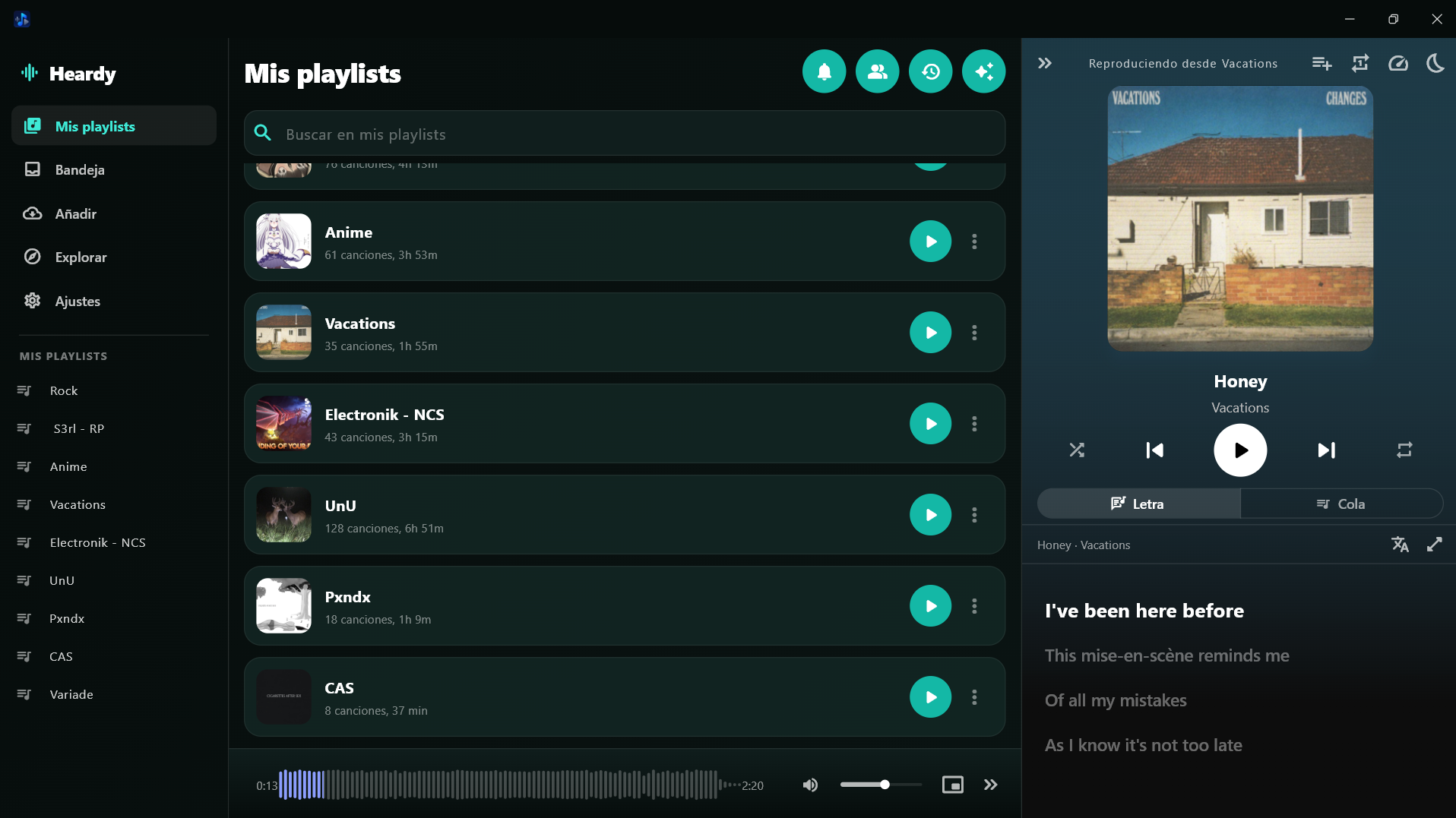
Pick a folder on your device and Heardy turns it into your library: each subfolder is a playlist, and you can create, reorder and merge playlists without moving a single file. There are also online playlists, played by streaming without downloading, and All, Downloaded and Not downloaded filters.
Got a link instead of a file? Heardy can also import from a link, on your device and without an account; you can download it (the file lands in your folder like any other) or keep it as an online playlist, at your own responsibility and under the Terms of use.
See the full feature guideDesktop and mobile
The same library, on Android and Windows
Heardy is a single app with two interfaces: one built for your thumb, and one for the big screen.
Android
Tab navigation, a persistent mini player, lock-screen controls and background playback. Pick the folder once, and Heardy takes care of the rest.
Windows
A three-column interface — playlists, songs and the playback panel —, its own title bar, volume control and keyboard shortcuts. One installer and you're done.
Downloads
Download Heardy and start listening
Choose your platform. Before downloading, we'll show you a summary of the terms of use.
- Android (APK)
- Version 1.2.0 · ~ 74 MB
Android 8.0 or later. Manual APK installation.If Android blocks the installation, allow installing apps from this source in Settings. If Play Protect warns you, choose “Install anyway”. - Windows (installer)
- Version 1.2.0 · ~ 89 MB
Windows 10 or later, 64-bit.If Windows flags it as malicious or shows “Windows protected your PC”, click “More info” and then “Run anyway”. This happens because the app is not digitally signed yet: a code-signing certificate costs between 200 and 400 USD per year.
Questions before installing? FAQ · Feature guide · Privacy policy